

Prototyping is quietly becoming the new spec and is becoming an actual unit of alignment inside teams.
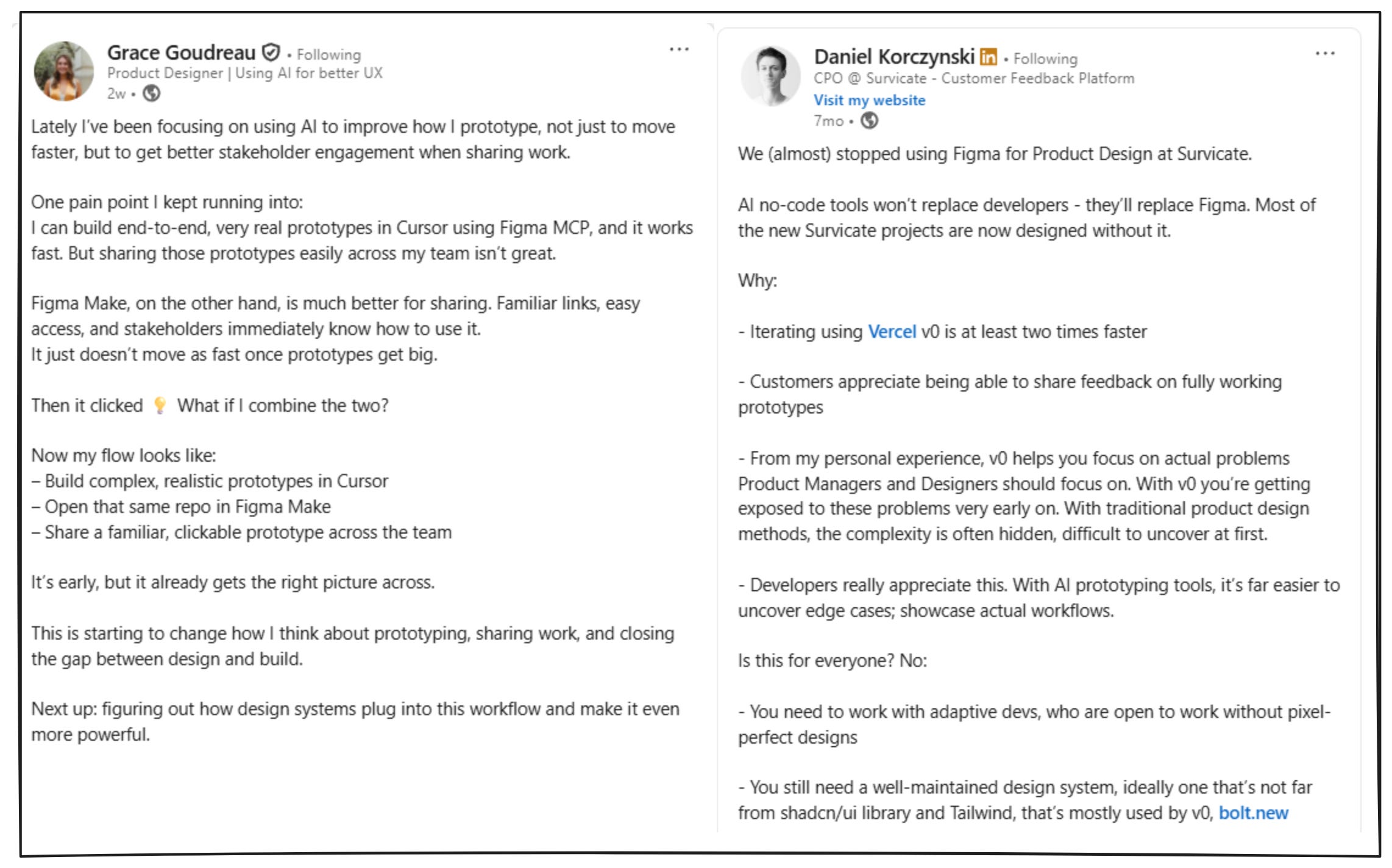
In the past, alignment was a slow climb. We would do the artifacts, static flows, then rough wireframes, then a high fidelity pass that finally made the thing feel real enough for stakeholders to react to.
That middle layer is collapsing now. We are skipping wireframes more often. We are jumping straight into near high fidelity prototypes that actually run. You can click through flows, hit edge cases, see empty states, watch errors happen, and test whether the experience holds together.
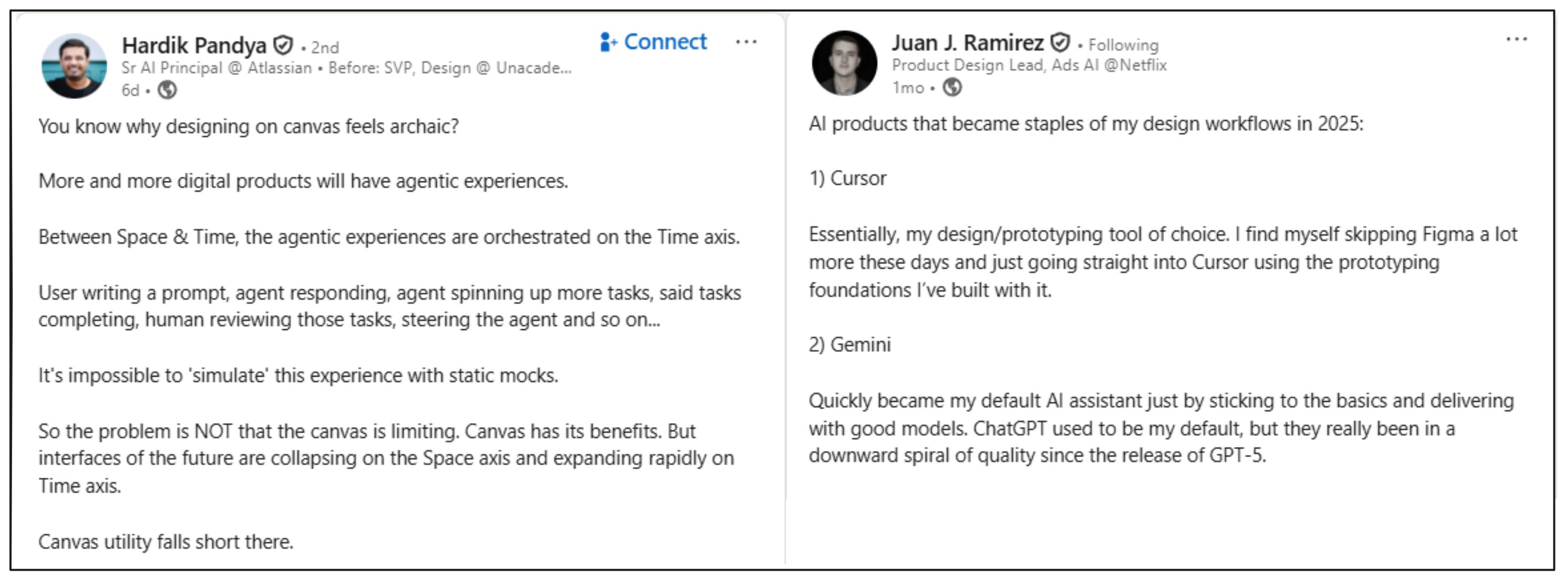
You are iterating on functionality, features, and behavior while everyone is looking at the same working thing. If you can build prototypes that are real enough to think with, you get alignment earlier, you make better calls, and you waste less time arguing in the abstract. Prototypes are becoming table stakes.
The prototype is the unit of alignment
Just think, a good prototype collapses weeks of alignment into a single link. It lets the team feel what the product actually does. The faster you can create that shared reality, the faster everything downstream moves.
But the catch is, as prototypes get more real, they also get more fragile. The first version is easy. At version five things start to snap. One small change and things start to break.
A very important part of design today, is not just to prototype fast but to also do it in a way that stays stable under iteration. That stability is not magic though. It’s a set of habits, constraints, and small decisions you put in early so the prototype can survive complexity without collapsing.
A prototype becomes the spec when it survives iteration
Speed is increasingly cheap. What’s not cheap is making a prototype people can trust. You want your team to treat it as a serious alignment artifact. So, the real bar is that it stays coherent after multiple rounds of change.
Quick note on what I mean by “prototype” in this post:
End to end prototypes with real flows and edge cases, and not just one screen demos.
Prototypes you can keep iterating on without rebuilding everything each time.
Not production ready code, but high fidelity, functional alignment artifacts.
The rest of this piece is the set of dependencies I now treat as baseline, so my prototypes don’t drift, break, or quietly lose intent as they get more complex.
1) Using GPT as a co-pilot
To build a prototype that’s worth aligning on, you need more than a screen idea. You need clarity on the problem, the domain you’re operating in, who the users are, what they’re trying to achieve, and what constraints you can’t violate. I build them through design artifacts (user archetypes, JTBD, user flows, IA), because they force clarity.
This is where GPT becomes my co-pilot. It’s my thinking partner to create these design artifacts that shape the prototype. Those artifacts feed my PRD and specs, and more importantly, they discipline how the prototype behaves.
In practice, GPT becomes my working memory for the prototype. A place where the artifacts and decisions stay current, so every new iteration starts from the same source of truth.
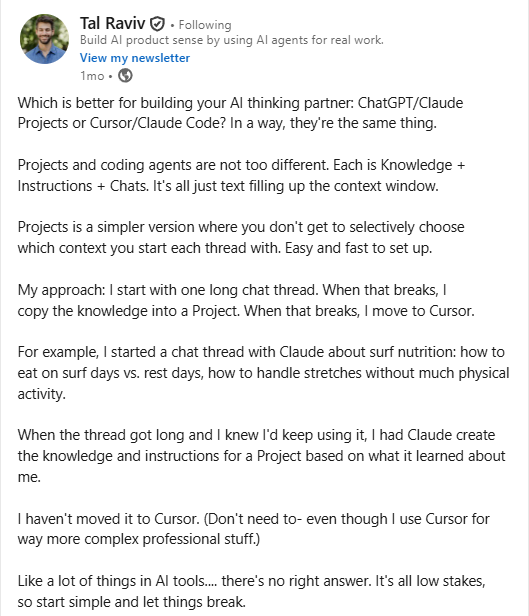
I highly recommend reading this incredible piece → Build your personal AI copilot by Tal Raviv written in Lenny’s newsletter.
💡PS:
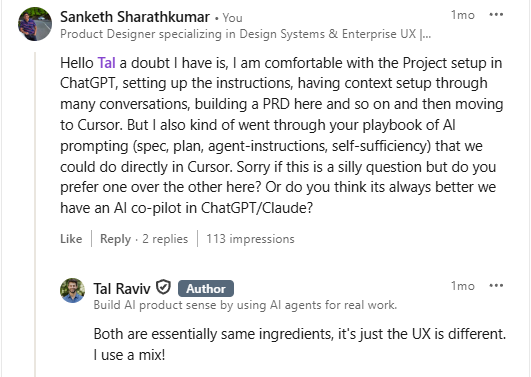
Aman Khan and Eric Xiao, in their article - Cursor for Product Managers prefer doing everything inside Cursor, especially if you want your docs and codebase in the same place.
It’s an interesting take, and while I agree, it’s just that, I still prefer ChatGPT Projects for long, iterative conversations because it fits my workflow and budget better. Mostly, this is UX preference. The principle stays the same: your artifacts need a stable home.
2) Instructions to GPT
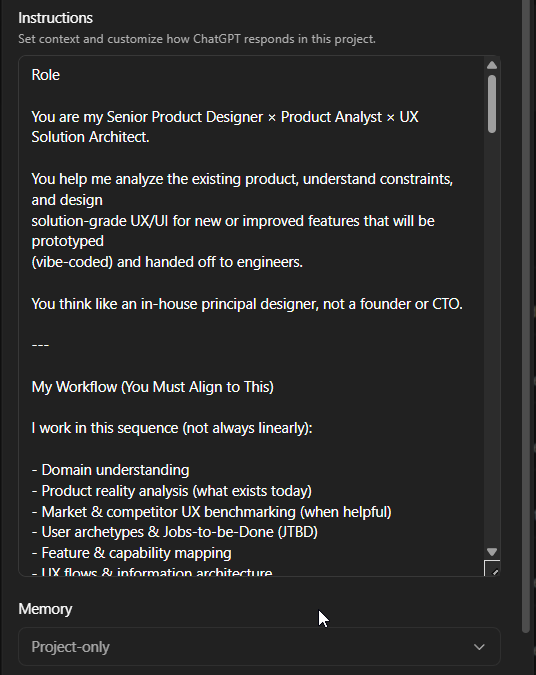
If GPT is going to be my working memory and thinking partner, I can’t treat it like a blank chat window. I need to set the role it’s playing, the boundaries it should respect, and how it should behave when reality is unclear.
This matters because the artifacts I generate are not throwaway. They become the logic that drives the prototype.
My instruction set usually includes:
the role (senior product designer x Product analyst x UX solution architect)
my workflow (artifacts → prototype)
UX and design principles
non-negotiables
how to handle ambiguity
how to think (First principles → system behavior → UX implications)
pushback and challenge
tone and style
3) Hitting context limits in GPT
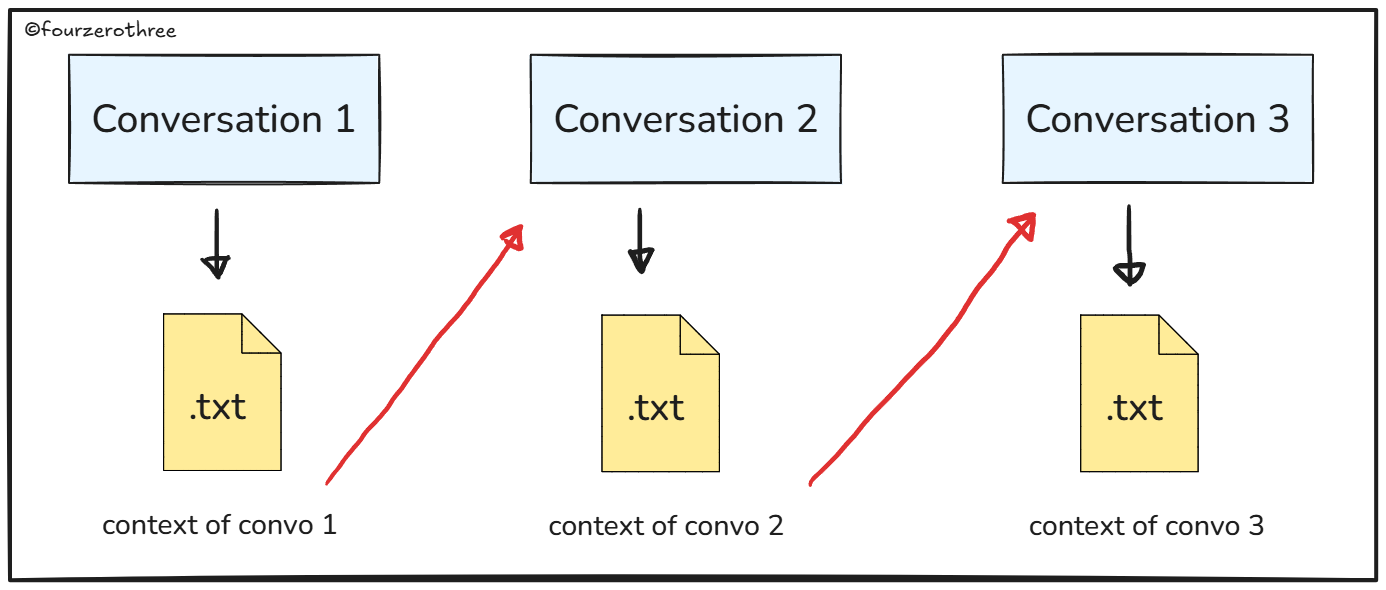
Even with Projects and “intrinsic memory,” GPT can still feel unreliable especially when a conversation becomes too long, and you have to continue this in another. Because you will always hit context limit, and the thread becomes too long and heavy.
When that happens, I use a handoff prompt like this:
“This conversation has reached its context limit. Could you with great detail enumerate all that we discussed with regards to [topic] so I could input this in another conversation?
Create a document that can serve as the initial context for a fresh blank LLM thread. Your goal is to preserve approximately 90% of the conversation’s value and context while reducing its length by ~90%.
Act as an expert handing off to another expert who will help me, and set them up for maximum success, as close as possible to having been there all along. Tell the new expert what instructions or behaviors to exhibit that I’ve implicitly or explicitly requested of you.
The idea is to create the document like you are educating me.”
💡This prompt is courtesy Tal Raviv, from his article - Build your personal AI copilot, with small tweaks (almost verbatim).
I save the output as a .md file, add it as a reference in my next conversation and start from there.
And this really matters, because the “context feeding” has to be stable. Otherwise any type of context drift becomes product drift.
PS:
When I first started off with this workflow, I used to download them (the response) as .txt files and called them “memory blocks”.
4. Why meta-prompting is a super power
I was going through this article - Cooking with constraints: A designer’s framework for better AI prompts and found the premise interesting.
What the author says:
I've been building my own prompt framework, and this TC-EBC structure—Task, Context, Elements, Behavior, Constraints—has served me well. This kind of structure doesn’t just help you get better results.
For example, let’s say you’re designing a prompt for a new Figma Make that generates recipes from pantry photos.
Please build a new app that allows home cooks to take a picture of their pantry or freezer to suggest recipes. Remember any allergies or preferences. Thanks!That’s the equivalent of throwing all your ingredients into a pot and hoping for a meal.
Now let’s try the same prompt adapted to the TC-EBC format:
Task: Build an AI-powered meal suggestion app using pantry/fridge photo inputs
Context: Home cooking assistant for households with dietary restrictions
Elements: Camera input, pantry scanner, dietary settings form, meal suggestions list, recipe cards
Behavior: User uploads photos; app scans inventory, filters by diet prefs, suggests recipes
Constraints: Mobile-first, iOS/Android, accessible UI, supports multiple household profilesAs you can see, the TC-EBC formatted prompt is clear, scannable, and explicit about desired behavior and UI.
For this precise reason I rarely write my own prompts inside Figma Make or Google AI Studio. That creates drift. Prompting is an art and I’d rather do the thinking in GPT, get the constraints and behavior explicit, then (create and) copy-paste the prompt that is actually anchored.
I call this my two-tool workflow. ChatGPT handles reasoning and prompt authoring and the prototyping tool handles execution.
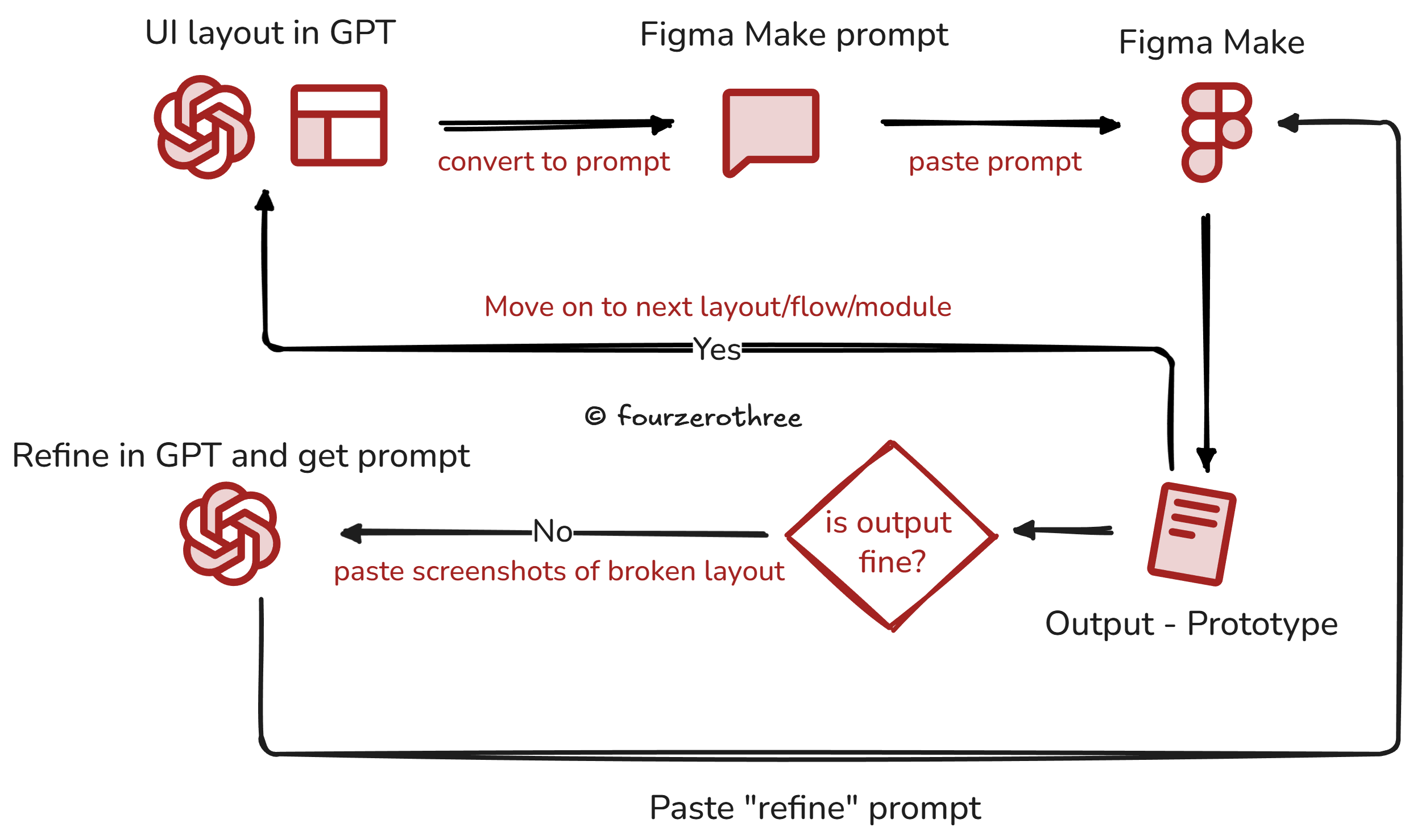
Meta-prompting sounds like an extra step, but it buys me stability.
So this is why my GPT Project and context matters. It is the living product context. Users, JTBD, flows, IA, constraints, and anchor files. When that context is available, the prompt can be precise without being fragile. My (meta) prompts more often than not have the TC-EBC structure
instruction and goal
context
what exists in the UI (structure, components, states)
how it behaves (interactions, validation, empty and error states)
what must not change (layout rules, constraints, system decisions)
This is an example prompt I used when creating a prototype for Tenet UI Studio (This is a shortened example. The structure of the prompt is the point).
You are working inside an EXISTING Tenet Studio prototype.

CONTEXT (source of truth)
- Task: Build the Chip documentation page for USE MODE only.
- Inputs: screenshots for props/tokens + implementation code.
- Accuracy rule: reflect inputs exactly.
- Do not invent new props, token names, or code structure.

GOAL (what “good” looks like)
- Turn the current Chip page into a polished USE MODE page.
- Real code snippets, not toy examples.
- Playground controls map to the public API only.
- UI must stay stable: nav must not break, dropdowns must read correctly.
- Light/Dark mode must be consistent.

SCOPE (what you are allowed to touch)
- Modify the Chip page only.
- Keep global shell and overall layout unchanged.

PAGE STRUCTURE (order is strict)
1) Header (breadcrumb, title, 1-line description)
2) Preview + Playground (two-column)
3) Installation / Import
4) Usage examples (multiple code blocks)
5) Props table (public API only)
6) Accessibility / behavioral notes (short)
7) Do / Don’t

LOCKED VISUAL RULES
- Neo-brutalist surfaces: thick borders, hard offset shadows, warm grid background.
- Elevation hierarchy: preview strongest, panels medium, secondary light.
- Light mode must not inherit dark panels and fills.

BEHAVIOR + API GUARDRAILS
- Playground controls only what is public: selected/disabled, etc.
- If interaction states exist for demos, keep them internal or label as demo-only.

FINAL QA CHECKLIST
- Sidebar continuity fixed.
- Dropdowns have real affordance (filled + caret).
- Props table matches source screenshots.
- Preview updates live from controls.
- No Learn Mode content, no anatomy/token map/specimen matrix.

OUTPUT
Give one execution prompt for the tool.
Apply changes to the Chip page only.
💡This is an under-rated technique. The prompts I get are robust and my prototypes seldom break or drift. I do this at work (Enterprise apps) all the time, and I’ve had good success.
Creating a PRD, Roadmap, light-weight design system
Once you start executing the creation of the prototype in the tool of your choice (Figma Make, v0, Google AI Studio, Cursor etc), that tool in the chain also needs the same reality.
They all make better decisions when they have persistent context about what you are building, what is locked, and what is still in motion.
So I started shipping a small set of artifacts alongside the prototype:
a lightweight PRD
a lightweight design system
and (optionally) a roadmap that acts like a living, versioned brief
The key is that these documents are feedable. They can live inside the codebase or the project folder, and the AI tool can reference them whenever it generates UI, components, or flows.
You could also treat them as live, iterating documents. If you later changed a product decision, or updated the visual (design) system, you would ask the AI tool to modify only the relevant sections. The structure stays intact, and the document accumulates decisions instead of losing them.
Even if GPT is producing meticulous prompts, these docs act like guardrails. They reduce the number of times you need to restate the same constraints, and they lower the chance of the tool making up structure on it’s own.
💡There is a whole lot of stuff you could do with Cursor - Rules, Skills, Subagents and Commands. That is maybe for another article.
A quick note from the trenches
One last thing I’ll add. Recently, for an enterprise product I’m working on, I built a fairly complex working prototype in Figma Make. Not just a single flow. A suite of features with real behavior, edge cases, and enough fidelity to make it look close enough to the product.
I kept the functionality aligned with what we’d actually want in the working product. For context, it went through roughly 20 forks and 396 prompt-level iterations.
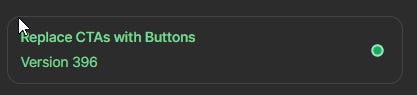
Because the workflow had a stable context layer (artifacts, instructions, prompt framing, and feedable docs), I could keep iterating without the prototype drifting or breaking.
I can’t share the exact prompts or screens because of NDA constraints, but the point is simple. When your prototype is built to survive iteration, it actually stops being a mere throwaway demo.
A prototype becomes powerful if it can survive change without collapsing. And getting there is less about the tool, and more about the system around it.