

I do a lot of 0→1 work across unfamiliar domains - working first in a consultancy, and now as a contract consultant for an enterprise product.
Most of my projects start in a domain I don’t fully understand yet.
So my design process is built around one thing: getting to clarity fast. And this is important. Because in new domains, the biggest risk is confidently building the wrong thing.
AI fits into this workflow everywhere. I treat it like a multiplier: if my context is strong, I move faster with fewer bad iterations.
So everything I do upfront is about building context first - then using that context to create artifacts, prototypes, and finally polished UI.
Stakeholder intake
I talk to stakeholders early, but I keep it light.
In new domains, early conversations are good for constraints and vocabulary - not understanding. So I’m not trying to “solve” anything in these meetings. I’m just collecting the inputs I’ll later verify through research: what they think the problem is, what success looks like, and the terms I need to go learn properly.
That’s it. The real clarity comes after I do my own digging.
Build a context container
Right after stakeholder intake, I set up a dedicated GPT Project for that product/feature.
GPT is not just for conversation. Running long threads in ChatGPT starts to drift. It gives you bad results.
I keep separate threads for each artifact (research, JTBD, feature mapping, flows/IA, PRD/spec). It sounds like overhead, but it prevents the real slowdown: losing context and re-explaining the domain every time I switch tasks.
This is the foundation. Once context is organized, everything else moves faster.
Domain ramp-up (the real work)
After stakeholder intake, I go into heavy domain research.
I take the terms and concepts I collected, feed them to GPT and reverse engineer them until I can explain them in plain language. I’ll do a lightweight competitor scan, and I’ll mine YouTube transcripts from adjacent products, (again) feed this into GPT so it helps me understand how people in the space think and talk, extract patterns, workflows, and pain points.
This is one of my biggest speed advantages: GPT turns weeks of “slow ramp-up” into a few focused hours/days.
Recently I went to the extent of creating a separate GPT project for domain research itself, to get me up to speed with everything in that domain.
Problem framing
Once I’ve ramped up on the domain, I write a problem statement.
Not a fancy one - just what’s broken, for whom, and why it matters.
User archetypes
The goal isn’t to create a “persona deck.” I want to define who the system is really for, using what I learned from domain and competitor research, product constraints / scope and the problem statement
How I use GPT here
I use GPT to draft archetypes fast, but with strict constraints:
keep it to a) goals, b) daily responsibilities, c) pain points
avoid long lists
don’t invent anything
if it’s uncertain, label it as an assumption
This helps me move quickly without turning it into fiction.
The check I run (so GPT doesn’t hallucinate)
After it drafts archetypes, I ask:
“Is this backed by our research or are we assuming it?”
“Mark what is grounded vs inferred vs unknown.”
“What evidence would confirm/deny this?”
That step is the whole point. I’m not taking GPT at face value.
JTBD + Needs (the bridge from research → features)
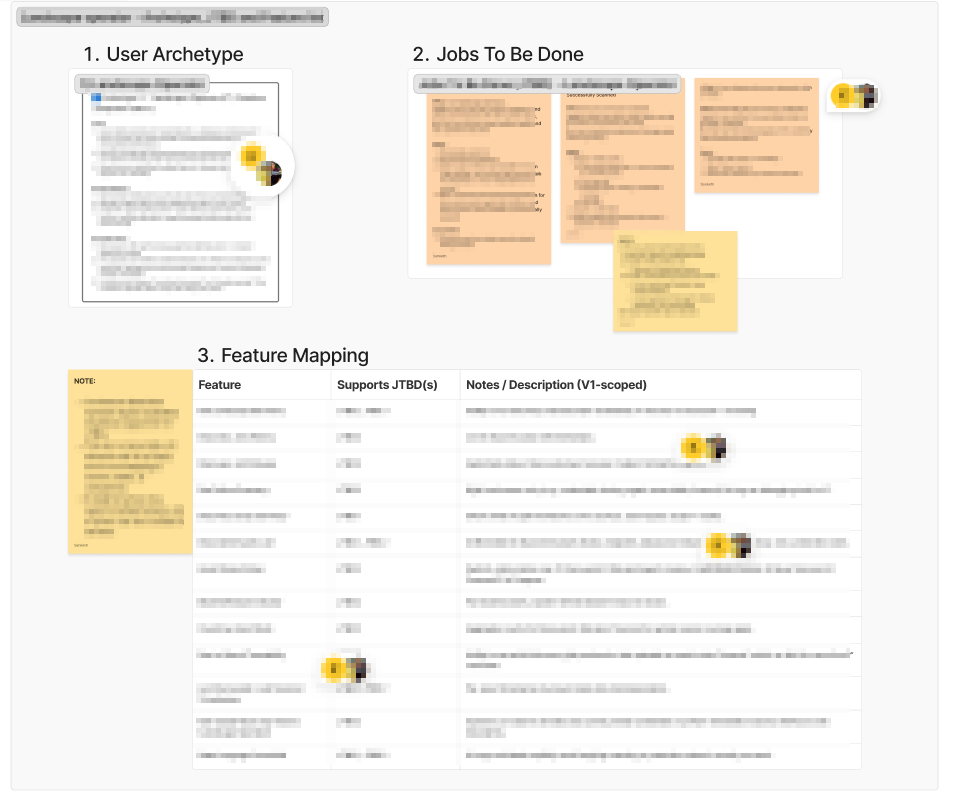
Once archetypes are stable, I translate them into Jobs To Be Done.
I use a strict format: “When [situation], I want to [motivation], so I can [expected outcome].”
Prompt:
Let’s create JTBD for [user type] archetype. The format of the JTBD should be:
“When [situation], I want to [motivation], So I can [expected outcome]”.
When creating each JTBD, also create a “Needs” section that would inform the type of features needed to fulfill the JTBD.
Note for every JTBD, I add a “Needs” section.
Needs are important because they naturally point toward feature categories without jumping straight into UI.
That “Needs” layer is what makes feature mapping clean later.
Why this part is fast (and still solid)
This is one of the places AI genuinely helps me move faster.
I can generate drafts quickly, but the speed doesn’t just come from “automation.”
It comes from:
having research already in the context container
asking GPT to stay constrained
forcing a grounded vs assumption split
So instead of sitting for days trying to wordsmith archetypes and JTBDs, I can get to usable models quickly, then refine as I learn more.
Quick prototyping to sharpen fuzzy understanding
Sometimes as I shape features, I like to visualize for more clarity. I would take a feature from my notes, reason through it with ChatGPT, then materialize it as a rough UI. A lot of times this back-and-forth turns vague ideas into something more grounded.
Importantly it surfaces gaps in my understanding much earlier than they would have otherwise. This isn’t the “final prototyping” phase yet. This is something I do occasionally, just to visualize a feature, pressure-test an idea, and surface gaps early.
User flow and Information architecture
This is where things get interesting. I don’t have to start with a blank canvas, in fact I could get a jump start with GPT. With a lot of context already established (domain/market research, user archetypes, JTBD, feature list), I start with this prompt:
We will be creating user flows in this conversation. Please note that our user flows must be rooted in our project’s in-scope features.
I am attaching certain anchor files/images for your reference (relevant context).
I want to create user flows for [user type] for the [module]. I will give you a legend to follow:
🟦 Screen
🔷 Dialog / Modal
🟩 User Action
🟧 System Response / State
🔶 Decision
🟨 Notes
🟪 Assumptions
🟢 Open Questions
Each flow must include:
- Full step-by-step sequence (User Action → System Response → Next Action).
- States & Edge Cases (empty, loading, error, transitional).
Also, make these user flows verbose and detailed so I can easily visualize them.
Note: The anchor files could be anything that is relevant to help produce accurate user flows.
The sample response:
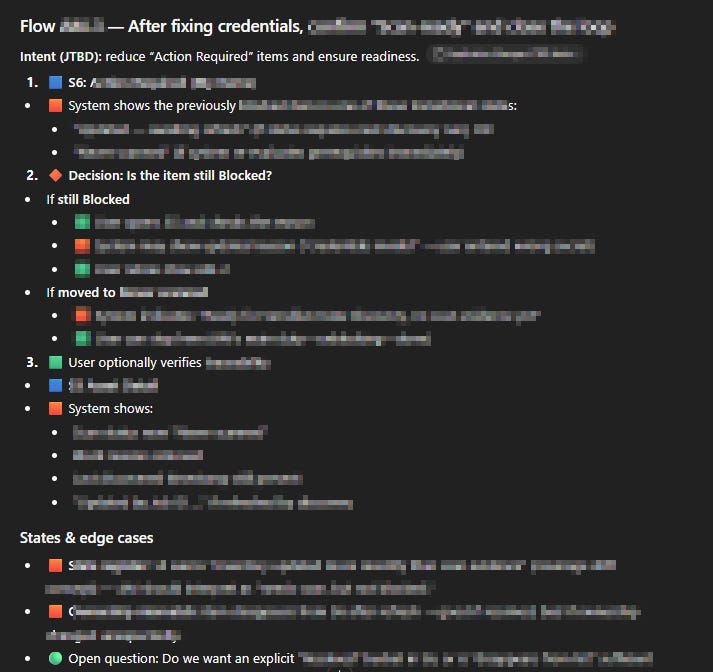
This is very handy.
Of course, I still go through the text and sanity-check what’s being proposed. A lot of human-in-the-loop decisions need to be made. But it’s fast and I can iterate from there.
Another advantage of this process - if something is hard to pin down or hard to visualize, I’ll paste the flow into another chat and ask GPT to generate a prompt so I can prototype the flow. I’ll paste that prompt into Figma Make and immediately visualize how the flow behaves, the happy path and the edge cases.
I usually translate these into visual artifacts in FigJam, export the flows as PDFs, and feed them into GPT to create the IA:
We will be creating the Information Architecture for [user archetype] and [user flow] in this conversation.
Please note that our IA must be rooted in our project’s in-scope features and the user flows.
I will provide necessary docs and notes. Use anchor files:
(a) from our Project folder and (b) the files I have shared here.
Legend for the IA
🟩 Screens / Visual States - All navigable screens or distinct render variants.
⬜ Groups / Tabs / Structural containers - Non-navigable sub-sections within a screen (e.g., tabs, collapsible panels).
🟧 Actions - Clickable interactions or triggers (buttons, links, CTAs).
🟪 Notes - Clarifications, constraints, or behavioral explanations (non-UI).
🟥 Open Questions - Items to confirm with stakeholders or developers.
The response ends up looking very similar to how the user flows are shaped - which gives me a jump start and helps me finish faster.
PRD, roadmap, and a lightweight design system (as guardrails)
Before I move into the main prototyping phase, I write three lightweight docs: a PRD, a roadmap, and a design system notes file.
PRD: problem, users, scope, constraints, success criteria
Roadmap: build order + dependencies (what gets prototyped first vs later)
Lightweight design system notes: colours, token architecture, interaction patterns, light weight implementation notes
These .md files are fed into Figma Make/Google AI studio, so the prototype stays aligned across screens, and I spend less time correcting random UI decisions.
Prototyping
I don’t prototype by directly prompting inside Figma Make and hoping it behaves. That approach used to create drift (I most frequently use Figma Make and Google AI studio for prototyping).
I always very strictly resort to meta-prompting with the help of a two-tool workflow
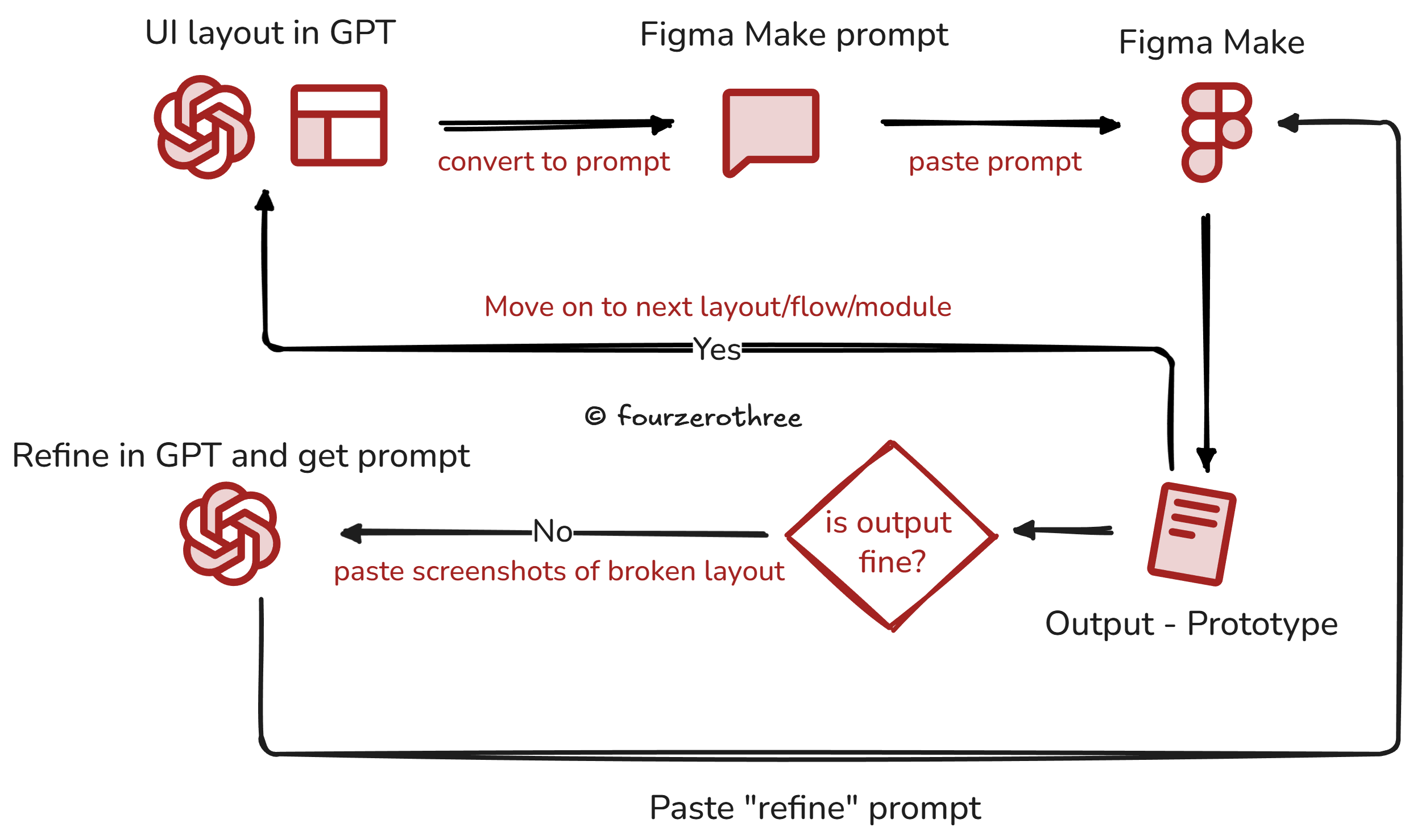
a) ChatGPT handles prompt authoring (and layout logic)
I do the thinking in ChatGPT first.
That means I design the layout in text:
spacing and hierarchy
component rules (what exists, how it behaves, what states it has)
interaction logic (what happens on click, validation, empty/error/loading, etc.)
Once the layout is approved in text, ChatGPT generates a deterministic Figma Make prompt.
2) Figma Make handles execution
Then I paste the prompt into Figma Make and review the output.
If something breaks, I don’t keep iterating inside Figma Make. I take a screenshot, return to ChatGPT, and ask for a rectification prompt.
That loop removes ambiguity and keeps the prototype stable across screens and iterations.
From prototype to high-fidelity UI
Once the prototype behavior is stable, high-fidelity design becomes much more deliberate.
Instead of starting from a blank canvas, I’m tracing over correct behavior and focusing purely on visual quality, coherence, and system-level consistency.
The prototype gives me a predictable map of:
all screens I need to design
interaction patterns (toasts, dialogs, confirmations, inline validations)
screen variations and states (loaders, empty, filtered empty, errors, etc.)
even small component-level behaviors that would otherwise get missed
So the high-fidelity work becomes a matter of polishing.
Important note: Production-ready UI is always done using a design system.
A note on high-fidelity (and what I’m experimenting with)
In my main client work, high-fidelity UI still happens in Figma.
After the prototype is stable, I build the design system foundations (tokens, components, patterns), and then translate the prototype screens into production-ready UI for engineering handover in Figma. That part of the workflow is still very real, especially for enterprise products where flows are complex, data is dense, and edge states are endless. Figma remains the most reliable place for me to design with intention and hand off clearly.
That said, I’m experimenting with a side project - Tenet UI Studio, where I’m skipping high-fidelity design in Figma entirely.
In that project, I’m building the design system and the high-fidelity screens directly in code using Cursor. The reason this is even possible (and worth trying) is the nature of the product: Tenet UI Studio is a documentation website for a design system I’m building. The UI is still high-quality, but the surface area is more predictable: it’s layouts, content, components, and interaction patterns - not a sprawling enterprise app full of conditional flows, heavy tables, permissions, and tangled states.
So, for me, I don’t think “code-first high fidelity” is a universal replacement for Figma, yet.
I’m still in the middle of that experiment, and I’ll write about it once I have stronger lessons (and more scars).