

I spend a long time setting up projects in Cursor before writing a single line of code. This piece is regarding what it looks like.
I’ve written a lot about fast prototypes that I’ve done with tools like Figma Make, Google AI Studio and v0 (you could catch up with a bunch of them here - AI & Product design, if you haven’t).
That workflow is covered, but this piece isn’t that. I’m also not talking about enterprise design-to-code pipelines where designers commit directly to production.
This is specifically about solo side projects. Things you’re building for yourself - tools, experiments, workflow explorations. The kind of project where it’s just you, an idea, and Cursor open.
I’m doing this with two projects right now. Tenet UI - my design system, which I want to build in code, with a component playground where anyone can copy-paste code snippets - something like what shadcn does. I know its ambitious and honestly it is overwhelming.
And “Loading” is a craft project, a web experience built around beautifully designed loading screens. Think DOS terminals, VHS tapes, Film countdowns and Cassette rewinds. Both are works in progress - and honestly, I still have a long way to go. But importantly both taught me what the setup needs to look like.
Before I open Cursor
The starting point is usually Claude (I’ve replaced ChatGPT with Claude, its way better). I use it as a UX co-pilot before anything else. Brainstorming the idea, thinking through what I actually want to build, sometimes quickly visualising a direction in Google AI Studio.
From that conversation, I put together a lightweight PRD - just enough structure to give me a clear direction I can carry into Cursor. Alongside that, I sort out a basic style guide, base colour palette, typography. Small decisions, but they feed into the design.md I'll create later with Cursor.
Skills before anything else
The first thing I do when I open a new Cursor project is set up skills. In Cursor, skills are SKILL.md files that package domain-specific knowledge and instructions the agent can pull in when relevant. Think of them as a capability layer you're giving the agent before it touches anything.
These are separate from rules, which are always-on, skills are dynamic - the agent decides when to apply them based on what it's doing.
I use a frontend-design, interface-design, and ui-ux-pro-max skill all pulled from ui-skills.com a curated resource built specifically for this. You can also create your own skills inside Cursor itself. Ask the agent to interview you about how you work and what you care about, and have it write the SKILL.md from that conversation.
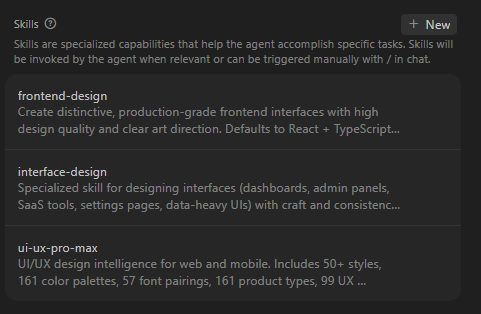
The point is, before the agent touches anything in your project, it knows how to behave. What quality bar it's working toward, how it should handle UI decisions, what it should never do.
The “prompts” folder
This one I learned entirely from Tal Raviv. Full props to him! He wrote about how he uses Cursor as a product thinking partner, and maintains a public GitHub repo called from-thinking-to-coding - a set of prompt files that instruct the agent on how to write specs, plans, opportunity assessments, and more.
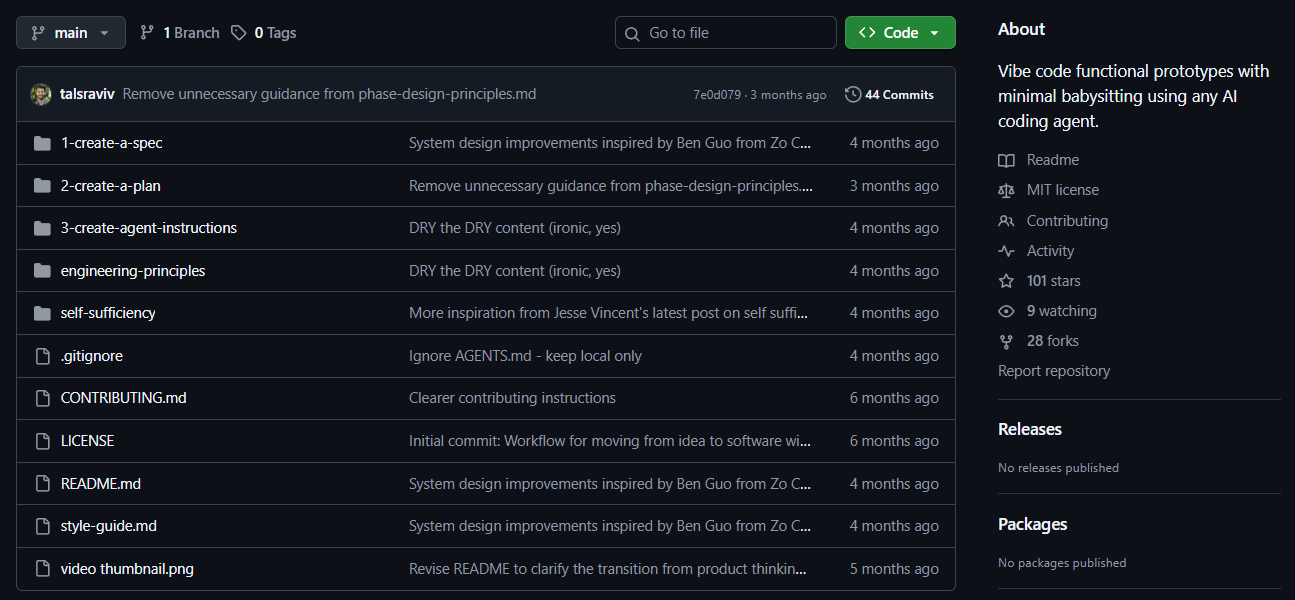
I clone that folder and drop it in my project root at the start of every project.
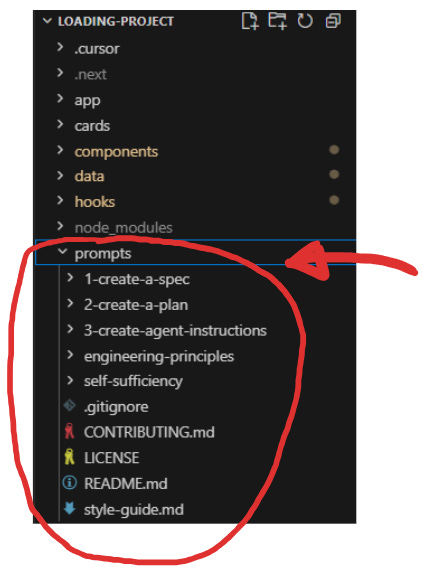
What this does is give the agent reference material for every document it's going to help me create. For example, when I ask Cursor to write a spec, it reads from the prompts folder to understand what a good spec looks like.
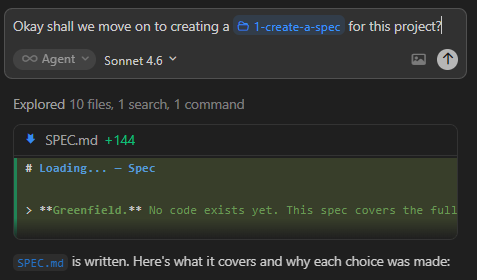
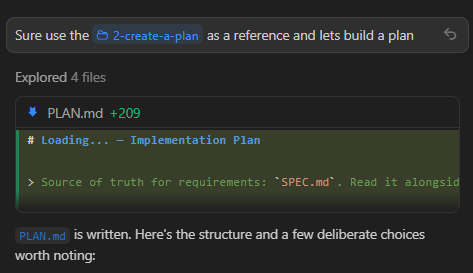
The output is more disciplined and consistent than anything I'd get from a cold prompt. It also means I'm not rewriting these from scratch every time. Tal has generously done that thinking. I point Cursor to it and move on.
Either download it from Github and drop it in your root folder manually, or you can tell Cursor or Claude Code to clone the repo directly - give it the GitHub URL and ask it to download the files locally. Once they're there, the agent can read them as documents in your project.
Brainstorming inside Cursor
Here's where it gets interesting, and where I think most people leave a lot on the table.
Once skills and the prompts folder are in place, I don't start building. I brainstorm. Inside Cursor, using the agent as an interviewer. The prompt I use is adapted from Tal's repo, and it goes something like this:
Before we start doing anything, I want you to converse with me and ask me questions to understand the project. I am winging it with you, so things may keep changing, but I'll try to tell you what I want. Think about what's missing, interview me, and pull insights and ideas out of me, and brainstorm with me. Let's converse just enough to make a great lightweight doc from our collaboration. Wait on writing the doc until our conversation is done. Keep it succinct and readable — no filler — but capture all the gold. Use our original conversation words for the vivid, evocative stuff. Let this doc be an ever-evolving one.
What follows is genuinely good. Cursor asks questions I hadn't thought to ask myself. As Tal puts it in his repo’s readme:
I love having my AI coding agent guide me conversationally, pulling the context out of me.
That's exactly it.
The brainstorm looks different depending on the project, and that's worth saying explicitly.
With Tenet UI, I was new to a lot of the dev concepts involved. There were a lot of unknown unknowns for me. So the brainstorm was Cursor acting as the technical expert, surfacing the right questions:
Are Tenet UI components in the same codebase as Tenet Studio, or a separate package/repo?
How do you actually measure the success metrics in Phase 1? Do you have analytics/tracking in place, or is this more of a qualitative observation metric?
For “installation overview”— is this step-by-step instructions with code blocks, or just conceptual guidance pointing to component pages?
I was learning through the conversation. The agent was filling in the gaps I couldn’t even see yet.
With Loading, it was completely different. I had an idea, but it was vague and evocative rather than clear. I knew the feeling I wanted - cinematic, tactile, unconventional, but I couldn’t fully articulate it. The brainstorm felt like walking around in a dark room with a torch. I’d take a step in one direction, Cursor would light up what was there, and I’d decide whether to keep going. I didn’t know what was in front of me until I started moving toward it.
Some examples:
On sound — are you thinking ambient soundscape per world (the hum of a CRT, tape hiss, projector flicker), sound on interaction (the physical act of flipping a card, a DOS beep on hover), or both?
When you flip a card and enter that world — DOS, VHS, film — what happens in there? Is it a single static(ish) screen, slowly animating? Or is there more to explore, more to read, more depth?
Sometimes the conversation gets messy. I'd hit a question I couldn't answer. I’d go back to Claude to think it through, then return to Cursor with a better answer. The flow is chaotic. But it's productively chaotic. I end up knowing things about my own project that I wouldn't have figured out any other way.
The document stack
By the end of the brainstorm, Cursor produces a brief.md - a proper PRD built from the initial context I fed in (including the PRD I wrote with Claude) and everything that came out of our conversation. What the product is, who it's for, rough features, a visual direction. This becomes the foundation for everything that follows.
From here, I build out the rest of the document stack before any code is written, in this order.
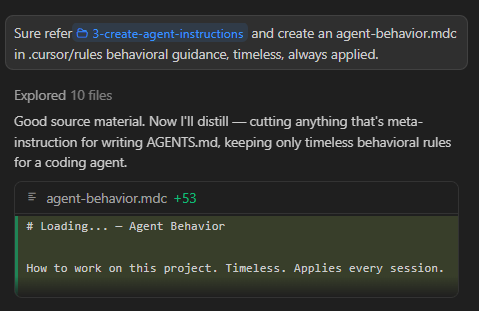
agent-behaviour.mdc - cursor rules. How the agent behaves throughout the entire project like conventions, preferences and non-negotiables. They keep behaviour consistent across sessions so I'm not re-explaining myself every time I open Cursor.
design.md - a living design system file. Colour palette, typography, spacing decisions. Not exhaustive, but enough for the agent to make consistent visual calls. This gets updated as the project evolves.
spec.md - the architecture. File and folder structure, tech stack, scope, non-goals. This is where the shape of the project becomes concrete. What we’re building, and just as importantly, what we’re not.
plan.md - the build plan. Phases, tasks within each phase, what “done” looks like for each one. Macro order first, then detail per phase.
agents.md - a living roadmap the agent can read at any point. Current state of the project, key decisions made, what’s done, what’s next, gotchas. Lighter than a traditional roadmap but it becomes the single source of truth for build progress. I build this using the agent-instructions file from the prompts folder.
At this point, before writing a single line of feature code, I have:
skills,
a project brief,
cursor rules,
a living design system,
a spec,
a build plan, and
a roadmap.
That's a lot of documents. But this is the setup that means the actual building doesn't fall apart.
Git before you build
One last thing before the first phase starts.
All of the document (brief, spec, plan etc) writing happens on main. I push that once the full document stack is ready - local main and remote main, both with full context, and no code yet .
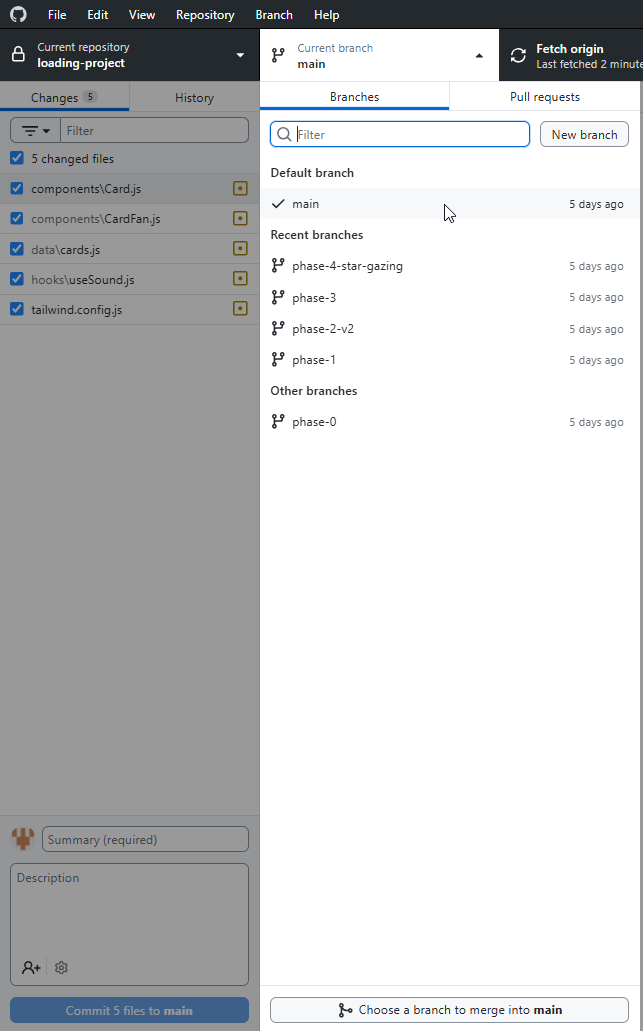
Before starting any phase from the plan (plan.md),
I create a new branch.
All the vibe coding for that phase happens in that branch.
When it’s working and I’m happy with it, I commit, merge to main (local), push online (main).
Then start the next phase on a new branch.
Closing notes
In the end success with AI tools is about context and collaboration. These initial documents are a shared understanding that makes this possible. Quite honestly, setting all of this up before building can feel like a lot, but remember you needn’t nail it.
In fact, I don’t want to be too prescriptive, and that’s also why I treat them as “living” documents. The brief evolves as the project gets clearer, the design system grows as you build and the roadmap updates as decisions get made. The initial drag of setting everything up is real, but once it’s taken care of, “building” becomes genuinely fun. A lot of the second guessing and correcting the AI is reduced and you start “moving” with the AI tool.